Guide: set up your first route in ten minutes
Practical steps to build a route, assign reps, and link customers.
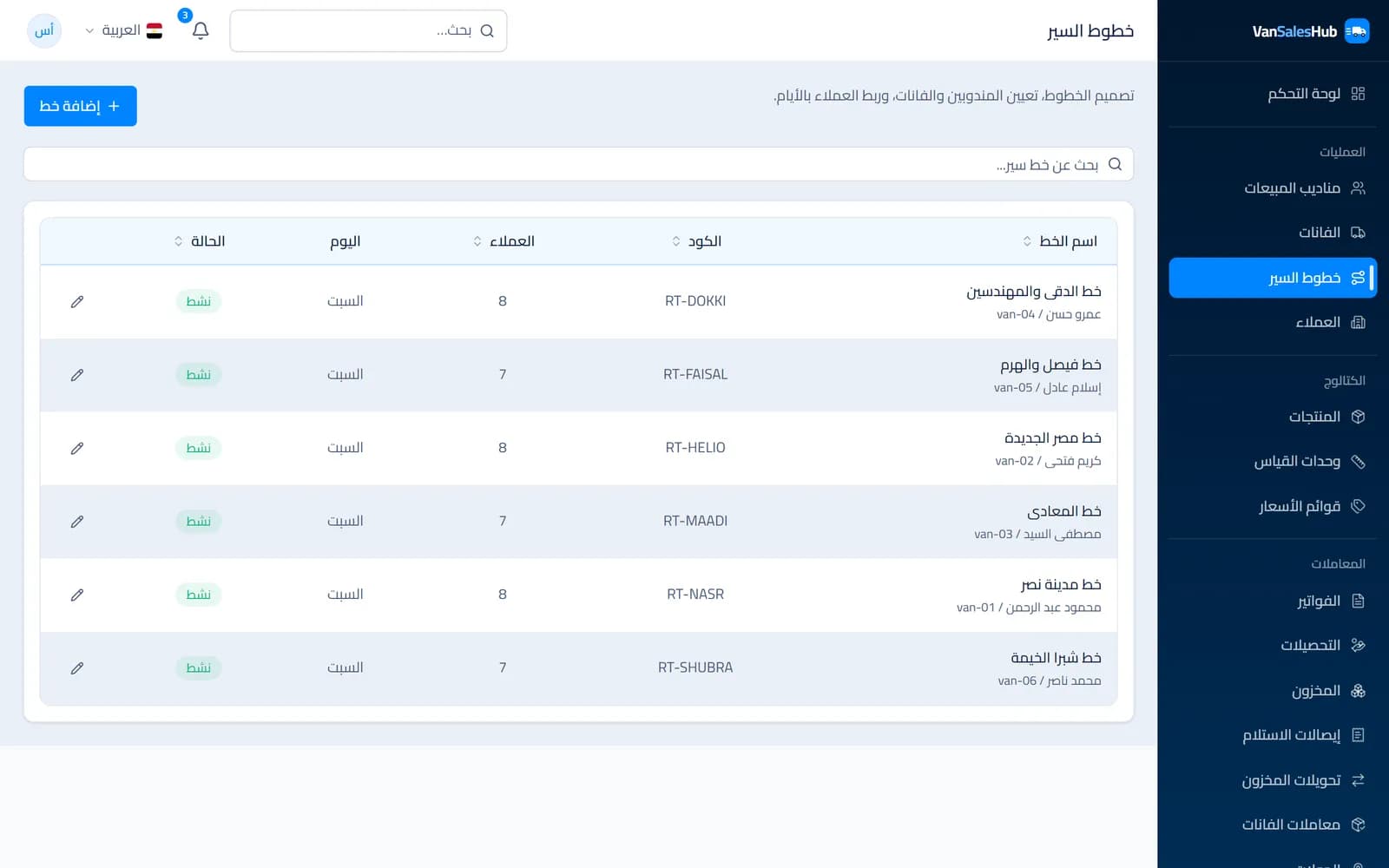
A route is the backbone of any van distribution operation: who visits whom, on which day and in what order. Many distributors keep their routes in a sales supervisor's head or in a notebook passed between reps, so when a rep leaves or changes, years of knowledge go with them.
In this guide we build a first route in VanSalesHub step by step. Ten minutes is enough if your basic data is ready: one van, one rep and a few customers.
Before you start: what you need
- One van registered in Vans, with its code and plate number.
- One rep in Sales Reps, with a username and initial password.
- Customers in Customers, ideally each with a map location and a price list.
If they are not ready, start there; each is a short form.
Minutes 1–3: create the route
- Open Routes and click Add Route.
- Enter the Code and name. Pick a name everyone understands, such as the area or district.
- Choose the Default day.
- Under Assignment, choose the Default rep and Default van.
- Click Create Route.
Note that rep, van and route are linked: if you give a rep a van that is assigned to someone else, the van moves to them. This is deliberate, so one van never has two reps at once.
Minutes 3–7: spread customers across days
This is where the route turns from a name into a plan. You have three ways; pick whichever fits:
- From the route page: open the route, choose the day, search for a customer and click Add. The Day map shows their geographic spread, so you quickly spot a customer placed on a day that does not suit their area.
- From the customer page: under Routing, choose the route and day. Handy when adding a new customer.
- In bulk: in Customers, select a group and choose Assign route, then the route and visit day. The fastest way to move a whole area onto the new route.
Each customer you add goes to the end of that day's list, and you can reorder it with the move up and move down arrows.
Minutes 7–9: order visits the way a rep thinks
In VanSalesHub the order is advisory: the rep sees a numbered list in the order you set, but can visit in a different order without the system refusing it.
Why? Because the street does not follow plans: a shop closed in the morning, a jammed road, a customer calling to ask for an early visit. A good order saves time, and flexibility stops reps from working around the system.
A practical tip: order the list so the rep starts nearest to or farthest from the warehouse and moves in one direction. And ask the rep; they know which shops open late.
Minutes 9–10: turn on the late-start alert
Open Settings → Field operations and set the Company start time. If that time passes and a rep with customers on today's route has not started, the office gets an alert in Notifications. If a journey closes with planned customers still unvisited, another alert arrives.
What happens in the field?
On the route's day, the rep starts a journey in the app and sees that day's customers in order. Each one shows whether it is done, nearby or has an open visit, or else its distance from the rep.
The moment the journey opens, the system stores a fixed snapshot of the day's plan. If you edit the route at noon, an already open journey does not change, and the day's report stays honest about what was planned when the rep set out.
After a week: review plan and actual
Open Journeys, then any journey, and look at Plan and actual: how many customers were planned, how many were visited, and who was visited outside the plan. The Journey track shows the path the rep actually took.
If a customer keeps being missed, they may be on the wrong day. If a customer keeps getting off-plan visits, they may deserve a place on the route. That is how a route improves week after week, based on what actually happens rather than what we expect.
In short
Start with one route and one rep, watch it for a week, then roll the approach out to the rest of the team. A good route is not designed once; it is built through steady review.