Five ways to cut invoicing errors in field sales
How to turn a paper invoicing process into an error-free digital flow.
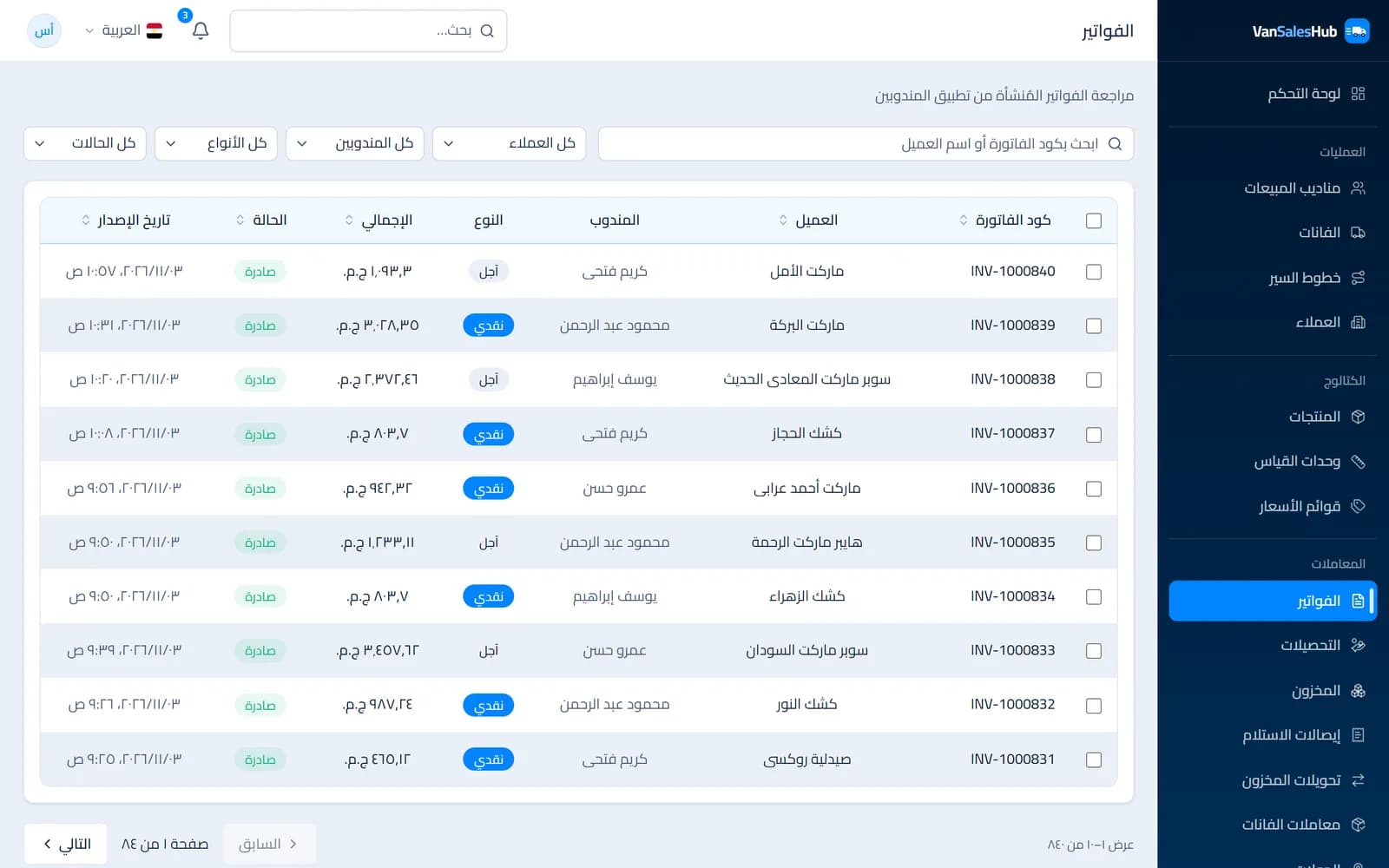
In van sales, invoices are written in the worst conditions: at the door of a busy shop, with an impatient customer and a rep doing sums in their head. The invoice then reaches the office hours or days later, and the accountant finds that the price was old, the quantity does not match what left the warehouse, or the customer passed their credit limit two weeks ago.
Most of these errors are not carelessness. They come from a way of working that leaves the rep with many decisions a system could make for them. Here are five practical ways to reduce them, whether you work on paper today or have started going digital.
1. Take the price from the list, not from memory
The most common invoicing error is the price. The rep remembers last month's prices, mixes up the wholesale and retail customer, or applies an old discount.
The fix is to give every customer a specific price list, and have the price come from it automatically when an item is added. The rep never types the price and does not need to know it before the invoice.
Keeping price history helps too. In VanSalesHub, for example, if the office changes a price while a rep's phone still holds an invoice that has not been uploaded, the invoice is priced at the price in force at the moment of sale, not the new one. And if there is no price for the product in the chosen unit on the customer's list, the invoice is refused rather than issued at a wrong price.
2. Tie sales to van stock
When nobody knows exactly what is on the van, invoices go out for quantities that do not exist, and the differences show up at stocktake with no clear source.
The simple rule: only sell what is actually loaded. Loading from the warehouse is a recorded movement, every invoice deducts from the van's balance, and every cancellation puts the quantity back. If a sale exceeds the van's balance, the system refuses it.
The van balance becomes a number you trust, and a stocktake becomes a comparison between two known numbers instead of a guess at what happened.
3. Let the system check credit
Credit sales are essential in consumer goods distribution, but they become a problem when the rep alone decides whether to sell to a customer who is behind on payments.
Give each customer an Allow credit sales setting and a clear credit limit. On a credit invoice, the system adds the customer's outstanding amount to the new invoice; if the total passes the limit, the invoice is refused. The disagreement stops being an argument between rep and customer and becomes a rule everyone knows in advance.
4. Never edit an invoice after it is issued
Crossing out or erasing is one of the riskiest habits of paper invoicing, because it removes the trail. The digital fix is not to allow electronic editing, but to forbid it.
An issued invoice stays as it is. If it is wrong, it is cancelled with a reason and another is issued. Cancelling returns the stock and the credit automatically, is written to the audit log, and the cancelled invoice stays visible for accounting. In VanSalesHub, once the server has accepted a document it cannot be cancelled from the rep's phone; cancellation happens in the office only.
It may feel stricter, but it makes review faster: every number has a document, and every change has a reason, a date and a name.
5. Separate returns and give them reasons
A return written as a negative invoice, or quietly deducted from the next invoice, is a major source of confusion.
Give returns their own document with its own number sequence, for example invoices as INV-… and returns as RET-…. Require a reason for each line, because the reason decides whether the goods come back sellable or damaged. Do not allow a return larger than what the customer owes. And if a return needs review, let it pass through the office before it affects the accounts.
Where to start
You do not need all five on day one. Start with prices: they have the biggest effect and are the easiest to apply. One list per customer group, and the rep takes the price from it without typing it. Then add the stock link, then credit.
Most importantly, agree on one principle with your team: the rep records what happened, and the system checks it. A rep in the field has enough to do, and should not be the last line of defence against pricing, stock and credit mistakes.
If you would like to try this approach with your team, the VanSalesHub free trial lasts 14 days and needs no credit card.